
Yeti Keyboarding · Grades K–12
Small keystrokes.
Big possibilities.
Turn typing practice into a mountain of progress. Help every student build the keyboarding confidence to write, create, and take on what’s next.
The right starting point
Different learners.
A path for every climb.
Choose an age-appropriate keyboarding experience, from early literacy connections to focused practice for older students.
Keyboarding
Help young learners build familiarity with the keyboard and confidence with their first keystrokes.

Blizzard Type & Abyss Typer
Keep growing typists moving forward with keyboarding practice that builds accuracy, speed, and confidence.

Headliner – The Altitude Tour
Help middle school students strengthen keyboarding fluency and put their typing skills into practice.

Headliner – The Altitude Tour
Support high school students as they refine their typing skills for writing, creating, and what comes next.

A foundation for what’s next
More confidence.
One key at a time.
From finding the home row to putting ideas into words, Yeti Keyboarding makes practice purposeful. Students build accuracy, speed, and healthy typing habits in engaging alpine learning environments.
- Grade-specific, cross-curricular practice
- Differentiated learning and flexible goals
- Gamification that keeps students moving forward

Purpose behind the practice
Engage. Learn. Benchmark. Apply.
Four keyboarding modes help students connect with the content, learn the keys, understand their goals, and put their skills to work.
Engage
Spark interest with an image, video, or game connected to the lesson’s typing content.
Learn
Build good habits with guidance on which fingers to use for newly introduced keys.
Benchmark
Keep accuracy and speed goals in view so students know what they’re working toward.
Apply
Practice new and familiar keystrokes, reinforce learning, and get ready for the next lesson.
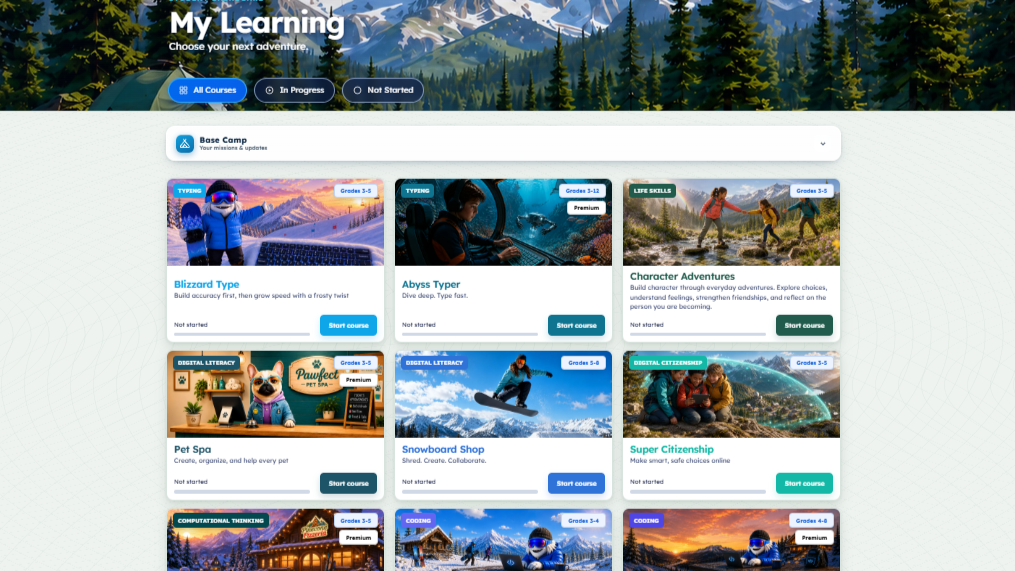
Keyboarding is part of the wider Yeti Academy learning experience.
Built for the people behind the progress
More teaching.
Less managing.
Bring instruction, assignments, and progress into one place, with tools that help you meet students where they are.
Make learning personal
Set goals for individuals or groups, use grade-level curricula, and create your own typing content.
See progress take shape
Use reports, automatic grading, and report cards to support your next instructional step.
Get started with support
Keep setup simple with a web-based platform, rostering options, and help from the Yeti Academy team.
Good questions. Clear answers.
Before the
first keystroke.
A few things to know as you plan your school’s keyboarding journey.
Talk with our team ↗Which grades does Yeti Keyboarding support?
Yeti Keyboarding serves students in grades K–12. Grades K–2 use Keyboarding; grades 3–5 use Blizzard Type & Abyss Typer; and grades 6–8 and 9–12 use Headliner – The Altitude Tour.
How does the curriculum support different learners?
Students use Engage, Learn, Benchmark, and Apply modes. Teachers can customize learning goals for individuals or groups, while adjustable font sizes and colors support visibility and reading.
Does it work with our school’s standards?
The keyboarding curriculum includes alignment to standards such as ISTE, Common Core, and TEKS. Review standards alignment or contact the team to discuss your state and grade-level requirements.
Do we need to install software?
No. Yeti Academy is 100% web-based and supports multiple devices. Your team can review setup and rostering options during a personalized tour.
Can we try Yeti Academy before choosing a plan?
Yes. Start a free account to explore Yeti Academy, or book a personalized tour to review the keyboarding curriculum and available plans with the team.
Put possibility into practice
Their next big idea
starts with a keystroke.
Bring confident keyboarding to your classroom, school, or district. Start free or let us show you around.